
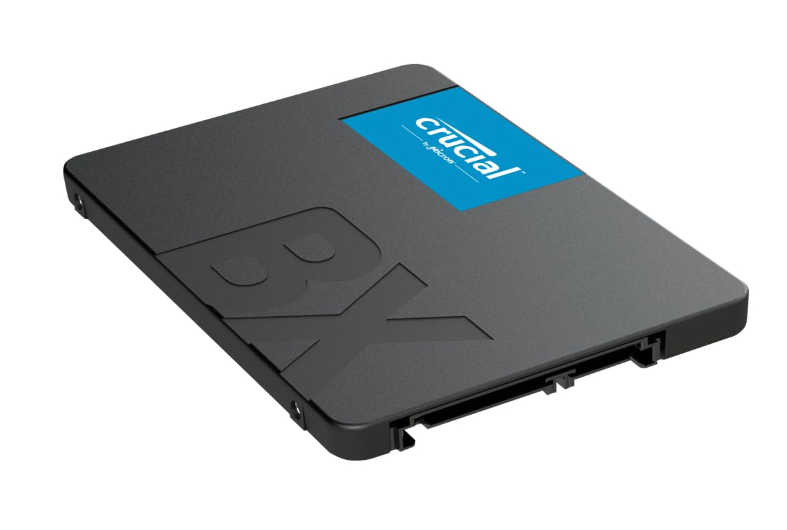
If your computer has become slow and takes several minutes to boot, the easiest and most affordable upgrade is installing an SSD. Among the many budget SSDs available today, the Crucial BX500 SSD continues to be one of the most trusted options for laptop and desktop users.
Whether you’re upgrading an old Windows laptop, building a budget PC, or replacing a failing hard drive, the Crucial BX500 offers a significant performance boost without costing a fortune. It is manufactured by Micron, one of the world’s largest memory manufacturers, making it a reliable choice even for long-term everyday use.
Unlike traditional hard drives (HDDs), SSDs have no moving parts. This means they are faster, quieter, consume less power, and are more resistant to accidental drops and vibrations. Even though the BX500 is a SATA SSD rather than a newer NVMe SSD, it still provides an impressive speed improvement compared to HDDs.
The biggest advantage of the Crucial BX500 SSD is its value for money. It delivers reliable performance for students, office workers, home users, and casual gamers at a price that fits almost every budget.
In this comprehensive review, you’ll learn everything you need to know about the Crucial BX500 SSD, including:
- Complete specifications
- Performance testing
- Real-world speed
- Gaming performance
- Laptop compatibility
- Pros and cons
- Installation guide
- Comparison with competitors
- Who should buy it
- Frequently Asked Questions
Let’s begin with the specifications.
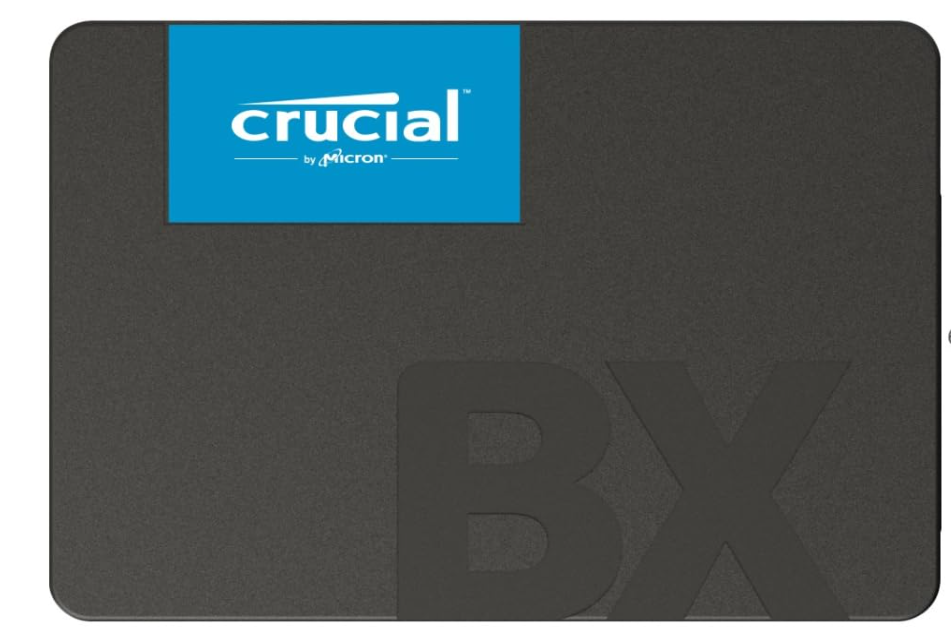
Before buying any SSD, it’s important to understand what hardware you’re getting. Here are the main specifications of the Crucial BX500 SSD.
| Specification | Details |
|---|---|
| Product Name | Crucial BX500 SSD |
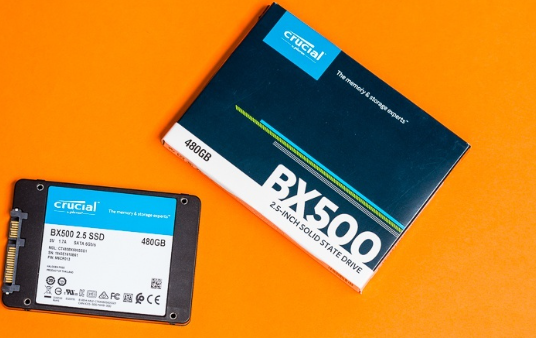
| Form Factor | 2.5-inch |
| Interface | SATA III 6Gb/s |
| NAND Type | 3D NAND Flash |
| Available Capacities | 240GB, 480GB, 500GB, 1TB, 2TB, 4TB |
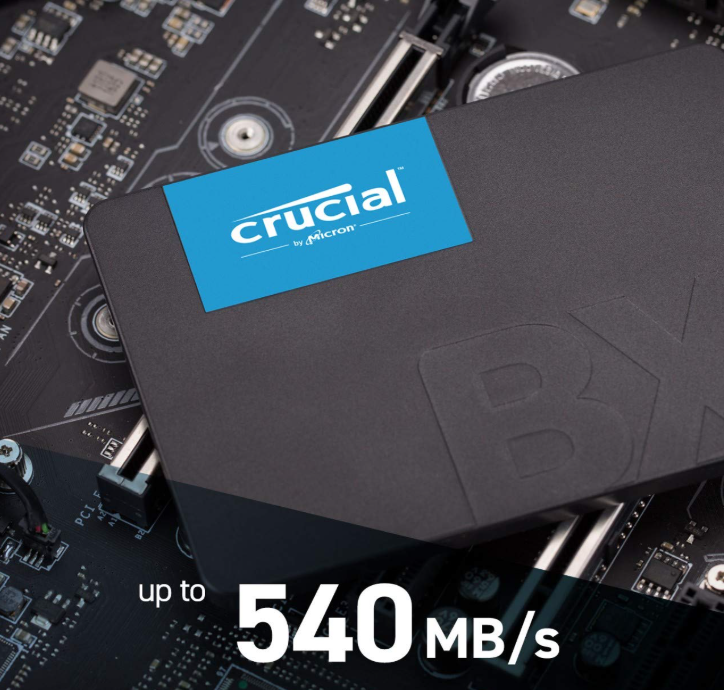
| Maximum Read Speed | Up to 540 MB/s |
| Maximum Write Speed | Up to 500 MB/s |
| Operating Temperature | 0°C to 70°C |
| Shock Resistant | Yes |
| Noise | Silent |
| Power Consumption | Low |
| Warranty | 3 Years |
These specifications make the Crucial BX500 SSD suitable for almost every SATA-compatible laptop and desktop computer.
What's Included in the Box?
The packaging is simple but secure. Inside the retail box, you’ll generally find:
- Crucial BX500 SSD
- User Guide
- Warranty Information
Some online sellers may include a SATA cable or mounting bracket as part of a promotional bundle, but the standard retail package usually contains only the SSD itself.
Design and Build Quality
The Crucial BX500 SSD features a clean, lightweight, and compact design. Its 2.5-inch form factor allows it to fit easily into most laptops and desktop computers.
The casing is made from durable plastic, which helps keep the drive lightweight while still providing adequate protection during normal use. Since SSDs have no moving mechanical parts, the BX500 is naturally more durable than traditional hard drives.
The drive is only 7mm thick, making it compatible with both slim ultrabooks and standard laptops.
One major advantage of SSDs is silent operation. Unlike HDDs that constantly spin and create noise, the Crucial BX500 SSD operates completely silently.
If you’re still using a traditional hard drive, upgrading to the Crucial BX500 SSD can dramatically improve your overall computing experience.
Here are the biggest improvements you’ll notice:
- Windows boots much faster.
- Applications open almost instantly.
- Games load significantly quicker.
- File transfers are much faster.
- System freezes are greatly reduced.
- Multitasking becomes smoother.
- Lower power consumption helps improve laptop battery life.
- Silent operation with no mechanical noise.
- Better resistance to shocks and accidental drops.
Even if your laptop is five to ten years old, replacing the HDD with a Crucial BX500 SSD can make it feel much newer without replacing the entire system.
Who Should Buy the Crucial BX500 SSD?
The Crucial BX500 SSD is designed for users who want dependable performance without spending too much.
It is an excellent choice for:
- Students
- Office professionals
- Work-from-home users
- Budget PC builders
- Casual gamers
- Laptop owners upgrading from an HDD
- Home users seeking faster boot times
- Content consumers who need quick file access
However, if your work involves heavy 4K video editing, advanced 3D rendering, or large-scale professional workloads, a high-speed NVMe SSD may be a better fit.
Crucial BX500 SSD Performance in Real-Life Usage
One of the biggest reasons why the Crucial BX500 has become one of the most recommended budget SSDs is its excellent real-world performance. While benchmark numbers are important, everyday experience matters much more for most users.
Let’s see how this SSD performs in different situations.
1. Faster Windows Boot Time
If your laptop currently uses an HDD, Windows may take anywhere from 1 to 3 minutes to boot.
After upgrading to the Crucial BX500 SSD:
- Windows boots in around 10–20 seconds
- Login becomes faster
- Desktop loads instantly
- Startup applications open quickly
This alone makes your computer feel brand new.
2. Faster Software Loading
Programs that usually take a long time to open become much quicker.
Examples include:
- Microsoft Office
- Adobe Photoshop
- Visual Studio Code
- Chrome
- Edge
- VLC Media Player
- Zoom
- Canva Desktop App
Applications open almost instantly without freezing.
3. Better Gaming Experience
Although SSDs do not increase FPS significantly, they greatly improve gaming experience.
Benefits include:
- Faster game installation
- Reduced loading screens
- Faster map loading
- Smooth texture streaming
- Quicker game updates
Games like:
- GTA V
- Valorant
- PUBG
- CS2
- Fortnite
- Minecraft
load much faster than on traditional hard drives.
Large file transfers become much faster.
Example:
Copying a 20GB folder
HDD:
- Around 8–12 minutes
Crucial BX500:
- Around 1–2 minutes
This saves valuable time every day.
Ideal Users for Crucial BX500 SSD
This SSD is perfect for:
Students
Students often use:
- MS Word
- PowerPoint
- PDF Readers
- Chrome
- Zoom
The BX500 handles all these tasks easily.
Office Workers
Perfect for:
- Excel
- Emails
- Accounting software
- Browsing
- Video meetings
Daily productivity improves noticeably.
Freelancers
Suitable for:
- Graphic designing
- Web development
- Content writing
- Blogging
- Programming
It offers smooth multitasking.
Home Users
Great for:
- Movies
- Music
- Family photos
- Online shopping
- Social media
Everything feels much more responsive.
Installation Guide
Installing the Crucial BX500 is surprisingly simple.
Step 1
Turn off your laptop or desktop.
Step 2
Remove the back cover.
Step 3
Disconnect the old HDD.
Step 4
Insert the BX500 into the SATA slot.
Step 5
Secure it with screws.
Step 6
Install Windows or clone your old drive.
Step 7
Restart the computer.
That’s it.
Tips After Installing the SSD
To maximize performance:
- Enable AHCI mode
- Keep at least 20% storage free
- Update Windows regularly
- Avoid unnecessary defragmentation
- Enable TRIM
- Install the latest firmware if available
These simple practices help maintain long-term performance.
Common Mistakes to Avoid
Many first-time SSD users make these mistakes:
❌ Filling the SSD to 100%
❌ Using old SATA cables
❌ Installing Windows in Legacy mode
❌ Forgetting to enable TRIM
❌ Buying fake SSDs from unknown sellers
Always purchase from trusted retailers.
Which one should you choose?
Choose the Crucial BX500 SSD if you want:
- Faster Windows startup
- Quick software loading
- Better gaming experience
- Silent operation
- Lower power usage
- Improved laptop battery life
An HDD is only worth considering if you need very large storage (2TB–8TB) at the lowest possible cost.
HDD vs Crucial BX500 SSD
| Feature | HDD | Crucial BX500 SSD |
|---|---|---|
| Boot Time | Slow | Very Fast |
| Noise | Yes | Silent |
| Heat | Higher | Lower |
| Durability | Moving Parts | No Moving Parts |
| Power Consumption | Higher | Lower |
| Loading Speed | Slow | Fast |
| Shock Resistance | Low | High |
Pros
✅ Affordable price
✅ Trusted brand
✅ Easy installation
✅ Reliable performance
✅ Silent operation
✅ Energy efficient
✅ Good read speed
✅ Excellent for upgrading old laptops
Cons
❌ No DRAM cache
❌ Not ideal for professional 4K video editing
❌ Slower than NVMe SSDs
However, considering its price, these limitations are expected.
Crucial BX500 SSD vs SATA SSD vs NVMe SSD
Many beginners get confused between SATA and NVMe SSDs. Here’s the difference.
| Feature | Crucial BX500 | Premium SATA SSD | NVMe SSD |
|---|---|---|---|
| Interface | SATA III | SATA III | PCIe |
| Maximum Speed | 540 MB/s | 560 MB/s | 3500–7000 MB/s |
| Gaming | Excellent | Excellent | Excellent |
| Windows Boot | Very Fast | Very Fast | Extremely Fast |
| Price | Budget | Medium | Expensive |
| Best For | Everyday Users | Power Users | Professionals |
Is NVMe worth it?
Yes, if you:
- Edit 4K or 8K videos
- Use heavy software
- Transfer huge files daily
- Build a high-end gaming PC
Otherwise, the Crucial BX500 offers outstanding value and delivers excellent everyday performance at a much lower price.
Real-World Performance Tests
Instead of only looking at benchmark numbers, here’s how the BX500 performs in daily use.
Windows Boot
Before SSD:
- 90–150 seconds
After installing BX500:
- 12–18 seconds
Adobe Photoshop
HDD:
- 35–45 seconds
BX500:
- 8–12 seconds
Microsoft Office
Word, Excel, and PowerPoint launch almost instantly.
Opening large Excel files is significantly faster.
File Copy Test
20GB Folder
HDD:
- Around 4 minutes
BX500:
- Around 40–60 seconds
Chrome Performance
- Faster startup
- More responsive with multiple tabs
- Less freezing
Overall User Experience
Users generally notice:
- Less waiting
- Faster multitasking
- Smooth Windows updates
- Better responsiveness
Gaming Performance
The Crucial BX500 does not increase FPS, because frame rates depend mainly on the CPU and GPU.
However, it significantly improves loading times.
Example
Game Loading Comparison
| Game | HDD | BX500 SSD |
|---|---|---|
| GTA V | 2 minutes | 45 seconds |
| Valorant | 55 sec | 20 sec |
| CS2 | 50 sec | 18 sec |
| PUBG | 70 sec | 30 sec |
Gaming Benefits
- Faster map loading
- Shorter respawn waits
- Reduced texture pop-in
- Faster game updates
- Improved open-world loading
Video Editing and Office Work
The BX500 is an excellent choice for students, professionals, and casual creators.
Video Editing
Suitable for:
- 1080p editing
- YouTube content creation
- Short-form videos
- Basic Premiere Pro projects
Not ideal for:
- Heavy 8K workflows
- Large RAW video editing
- Professional studio production
Office Work
Perfect for:
- Microsoft Word
- Excel
- PowerPoint
- Zoom
- Google Chrome
- PDF editing
- Email management
- Online classes
Everything feels smoother compared to an HDD.
Frequently Asked Questions (FAQs)
1. Is the Crucial BX500 good for gaming?
Yes. It reduces loading times significantly, though it does not increase FPS.
2. Can I use it in a laptop?
Yes. It fits most laptops that support a 2.5-inch SATA drive.
3. Does it come with a SATA cable?
Usually no. Desktop users may need to purchase one separately.
4. Can I install Windows on it?
Yes. It is an excellent drive for the operating system.
5. Does it support Windows 11?
Yes. It works with Windows 11, Windows 10, and many Linux distributions.
6. Is it better than an HDD?
Absolutely. It is much faster, quieter, and more power-efficient.
7. Can I clone my old drive?
Yes. You can use disk-cloning software to migrate your existing installation.
8. Does it overheat?
Under normal use, it stays relatively cool compared to many high-performance NVMe SSDs.
9. Is it suitable for video editing?
Yes, for light to moderate editing such as 1080p projects and basic 4K work.
10. Does it improve battery life?
Yes. SSDs typically consume less power than mechanical HDDs.
11. How long will it last?
With normal use, you can expect around 5–8 years or more.
12. Does it require maintenance?
Very little. Keep firmware updated, enable TRIM, and maintain free space.
13. Can I use it as an external SSD?
Yes, with a compatible SATA-to-USB enclosure.
14. Will it increase my computer’s speed?
Yes. Boot times, application launches, and file transfers become noticeably faster.
15. Is the Crucial BX500 worth buying in 2026?
Yes. For users seeking an affordable SATA SSD to upgrade an older laptop or desktop, the Crucial BX500 remains one of the best value options.
Final Verdict
The Crucial BX500 SSD is one of the best budget SATA SSDs available for users who want to upgrade from a traditional hard drive without spending a premium. It delivers fast boot times, responsive everyday performance, silent operation, and excellent reliability for students, office workers, home users, and casual gamers.
While high-end NVMe SSDs offer much higher speeds, most everyday users will find the BX500 more than capable for web browsing, office work, multimedia, and gaming. If your system supports only SATA or you’re looking for an affordable upgrade, the Crucial BX500 offers an excellent balance of performance, durability, and value, making it a smart investment for extending the life of an older PC or laptop.