
Introduction
Upgrading your laptop with a fast NVMe SSD is one of the easiest ways to improve overall performance. Whether you use your laptop for office work, gaming, programming, content creation, or daily multitasking, a modern PCIe Gen4 SSD can significantly reduce boot time, application loading time, and file transfer delays.
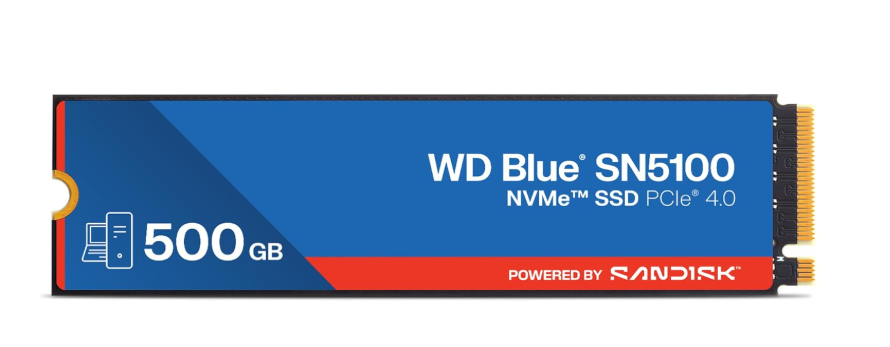
Among the latest storage options available in 2026, the Western Digital WD Blue SN5100 500GB stands out as a premium PCIe Gen4 NVMe SSD designed for users who want excellent speed, long-term reliability, and efficient power consumption.
With read speeds reaching up to 6,600 MB/s, advanced 3D NAND technology, and a generous 5-year warranty, the WD Blue SN5100 promises outstanding performance for modern laptops.
But is it really the best SSD for laptop users in 2026?
In this detailed review, we’ll examine its specifications, design, features, performance expectations, advantages, drawbacks, and whether it’s worth your money.
Crucial BX500 SSD Reviewhttps://raunakkumar.com/crucial-bx500-ssd-review-and-buying-guide-2026/
Quick Specifications
| Specification | Details |
|---|---|
| Brand | Western Digital |
| Model | WD Blue SN5100 |
| Capacity | 500GB |
| Form Factor | M.2 2280 |
| Interface | PCIe Gen4 x4 NVMe |
| Sequential Read Speed | Up to 6,600 MB/s |
| Sequential Write Speed | Up to 4,000 MB/s (Approx.) |
| NAND Type | 3D NAND |
| Warranty | 5 Years |
| Compatibility | Windows Laptop, Desktop, Mini PC |
| Software | Acronis True Image |
Why the WD Blue SN5100 Is Getting Popular
Choosing the best SSD for laptop isn’t only about raw speed. Reliability, endurance, thermal efficiency, software support, and warranty also matter.
The WD Blue SN5100 balances all of these aspects exceptionally well.
Unlike many budget SSDs, it offers:
- PCIe Gen4 technology
- Excellent sequential read performance
- Reliable 3D NAND
- Low power consumption
- Trusted Western Digital quality
- Long 5-year warranty
This combination makes it an attractive option for students, professionals, gamers, and creators.
The WD Blue SN5100 comes in the standard M.2 2280 form factor, making it compatible with most modern laptops and desktops.
Its compact PCB design allows easy installation without requiring additional cables.
Unlike traditional SATA SSDs, this NVMe drive connects directly to the motherboard through the PCIe interface, resulting in much lower latency and significantly higher bandwidth.
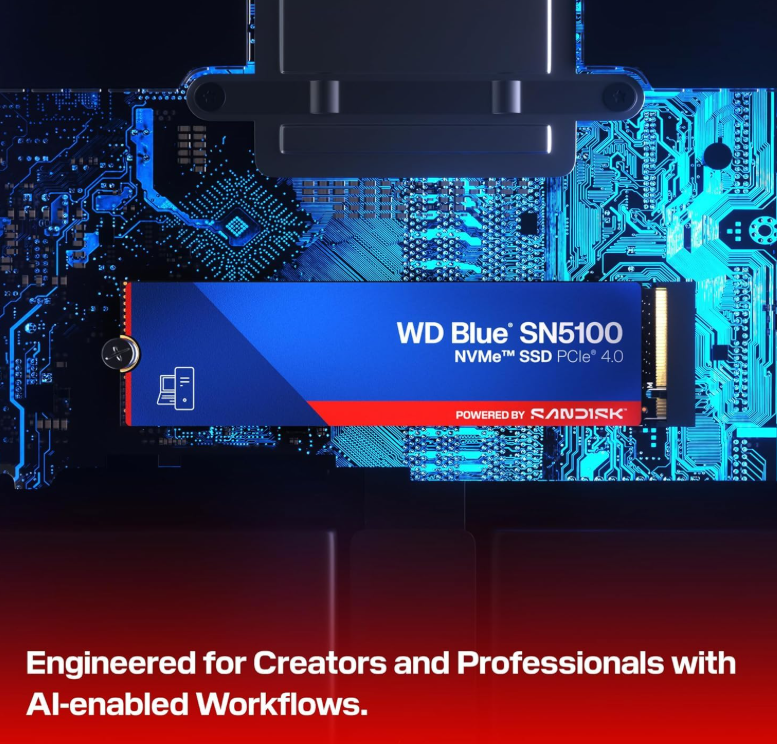
The drive does not include a heatsink, which is actually beneficial for laptops because many notebook manufacturers provide their own thermal solution.Best SSD for Laptop?
Key Features
1. PCIe Gen4 Performance
The biggest upgrade over previous-generation SSDs is PCIe Gen4 support.
Compared to PCIe Gen3 drives, the WD Blue SN5100 offers much higher bandwidth, allowing applications to load much faster.
This means:
- Faster Windows boot
- Faster game loading
- Faster software installation
- Better multitasking
- Reduced waiting time
2. High Read Speeds
Western Digital claims read speeds up to 6,600 MB/s.
While real-world performance depends on your laptop configuration, users upgrading from SATA SSDs or hard drives will notice a dramatic improvement.Best SSD for Laptop
Daily tasks become noticeably smoother, especially when working with large files.
3. Advanced 3D NAND Technology
The SN5100 uses modern 3D NAND flash memory.
Benefits include:
- Better durability
- Improved efficiency
- Lower power usage
- Faster response times
- Longer lifespan
For laptop users, lower power consumption also helps maximize battery life during normal workloads.Best SSD for Laptop
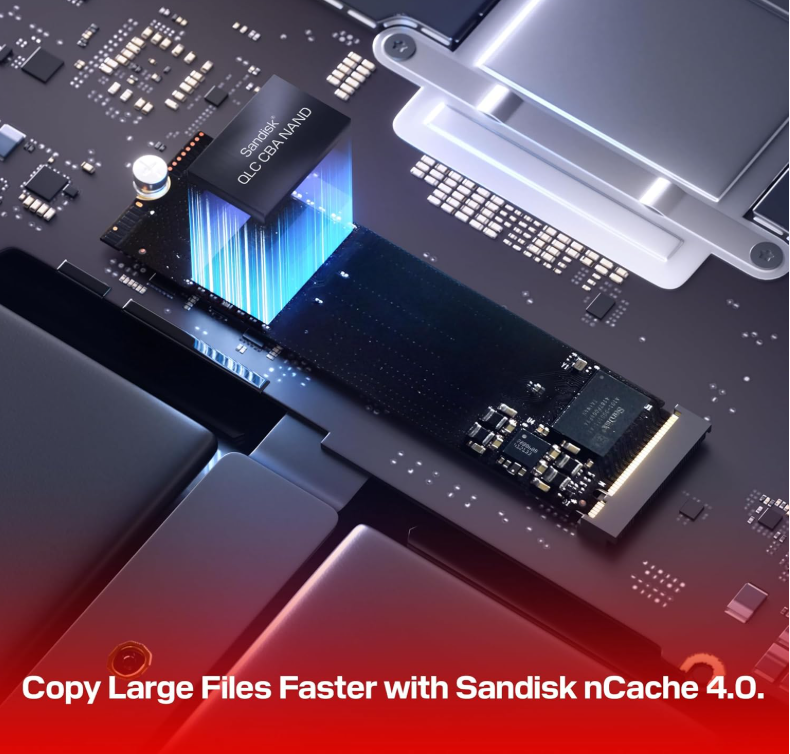
4. Intelligent Cache Technology
Western Digital includes advanced cache management technology that improves sustained write performance.
When copying photos, videos, or project folders, the SSD maintains higher speeds than many entry-level drives.
This is particularly useful for:
- Video editing
- Photography
- Office backups
- Programming projects
- Content creation
5. Reliable Brand Reputation
Western Digital has been manufacturing storage products for decades.
Their SSD lineup has earned a reputation for:
- Stable firmware
- Good endurance
- Reliable controllers
- Excellent after-sales support
This reliability makes the WD Blue series a preferred choice among many laptop users.
Laptop Compatibility
The WD Blue SN5100 works with laptops that support:
- M.2 2280 slot
- PCIe NVMe SSD
- PCIe Gen3 or Gen4
Even if your laptop only supports PCIe Gen3, the SSD will still function correctly.
It simply operates at Gen3 speeds while maintaining full compatibility.Best SSD for Laptop

Who Should Buy This SSD?
The WD Blue SN5100 is suitable for almost every type of user.
Students
Students who frequently work with assignments, presentations, coding software, and online classes will enjoy much faster responsiveness.Best SSD for Laptop
Office Professionals
Professionals using Microsoft Office, browsers, virtual meetings, and multitasking can experience quicker loading and smoother workflow.Best SSD for Laptop
Gamers
Modern games continue to increase in size.
An NVMe SSD like the SN5100 significantly reduces loading times and improves the overall gaming experience.Best SSD for Laptop
Content Creators
Photo editing, video editing, graphic design, and rendering applications benefit greatly from faster storage performance.
Large files open more quickly, and export times can improve depending on the workload.
Everyday Users
Even normal users upgrading from an HDD will notice:
- Instant boot
- Faster web browsing
- Quick software launches
- Better system responsiveness
- Best SSD for Laptop
Installation
Installing the WD Blue SN5100 is straightforward.
Basic steps include:
- Power off the laptop.
- Open the back panel.
- Locate the M.2 slot.
- Insert the SSD at an angle.
- Secure it using the mounting screw.
- Install Windows or clone your existing drive using supported migration software.
Most users can complete the installation within 10–20 minutes.Best SSD for Laptop
First Impressions
After installation, the improvement is immediately noticeable.
Applications launch faster, Windows boots within seconds, and multitasking feels significantly smoother compared to older SATA SSDs or mechanical hard drives.
For users searching for the best SSD for laptop, the WD Blue SN5100 makes a strong first impression thanks to its excellent balance of speed, efficiency, and reliability.Best SSD for Laptop
WD Blue SN5100 500GB Performance Review: Is It the Best SSD for Laptop?
In Part 1, we covered the specifications, features, compatibility, and first impressions of the WD Blue SN5100. Now it’s time to evaluate how this PCIe Gen4 NVMe SSD performs in real-world scenarios. While manufacturer specifications provide a useful reference, everyday usage is what truly determines whether an SSD is worth buying.
The WD Blue SN5100 is designed to deliver fast boot times, smooth multitasking, quick file transfers, and reliable performance for gamers, students, professionals, and content creators. Let’s see how it performs in practical use.Best SSD for Laptop
Real-World Performance
Most laptop users spend their time browsing the web, working on Office documents, attending video meetings, editing photos, or playing games. In these tasks, the WD Blue SN5100 performs exceptionally well.Best SSD for Laptop
Applications open almost instantly, large files load quickly, and switching between multiple programs remains smooth even under heavy workloads. Compared to a traditional hard drive, the difference is dramatic. Even users upgrading from an older SATA SSD will notice improved responsiveness.
Common tasks that benefit include:
- Booting Windows in seconds
- Opening Chrome or Edge with multiple tabs
- Launching Adobe Photoshop
- Editing videos in Premiere Pro
- Running Visual Studio Code
- Installing large software packages
- Extracting compressed files
- Copying high-resolution photos
The drive maintains consistent responsiveness throughout normal daily use.Best SSD for Laptop
Benchmark Expectations
Western Digital rates the WD Blue SN5100 500GB with sequential read speeds of up to 6,600 MB/s. Actual benchmark results vary depending on the laptop, processor, motherboard, operating system, and available PCIe bandwidth.
Typical expectations include:
| Benchmark | Expected Performance |
|---|---|
| Sequential Read | Up to 6,600 MB/s |
| Sequential Write | Around 4,000 MB/s |
| Random Read | Excellent for everyday workloads |
| Random Write | Smooth multitasking performance |
| Access Time | Extremely low latency |
These numbers make the SN5100 much faster than SATA SSDs, which are generally limited to around 550 MB/s.
For most users, random read and write performance matters more than peak sequential speeds because it affects everyday responsiveness, software launches, and system performance.Best SSD for Laptop
Windows Boot Performance
One of the biggest improvements after upgrading to the WD Blue SN5100 is boot time.Best SSD for Laptop
A laptop equipped with this SSD typically reaches the Windows login screen within seconds, assuming the system uses UEFI and Fast Boot.
Users upgrading from a hard drive can expect:
- Faster startup
- Quicker shutdown
- Reduced loading screens
- Better overall responsiveness
Even after installing numerous applications, the drive maintains excellent performance.
Gaming Performance
Gamers often look for the best SSD for laptop to reduce loading times and improve the gaming experience.
Although an SSD does not increase FPS directly, it significantly reduces waiting times.
With the WD Blue SN5100, players can expect:
- Faster game installation
- Reduced map loading times
- Quicker texture streaming
- Faster updates
- Improved responsiveness in open-world games
Games such as modern AAA titles load much faster than when installed on a hard drive.
For laptops equipped with PCIe Gen4 support, the SN5100 offers enough bandwidth to handle current and upcoming game requirements.Best SSD for Laptop
Video Editing Performance
Content creators frequently work with large files, making storage speed extremely important.
The WD Blue SN5100 performs well in applications such as:
- Adobe Premiere Pro
- DaVinci Resolve
- Adobe Photoshop
- Lightroom
- After Effects
Benefits include:
- Faster project loading
- Quicker media imports
- Smooth timeline navigation
- Reduced export preparation time
- Faster cache generation
Although professional editors working with 8K RAW footage may prefer premium flagship SSDs, the SN5100 provides more than enough performance for most creators working with Full HD and 4K projects.Best SSD for Laptop
Programming and Development
Developers also benefit from fast storage.
Compiling projects, running virtual machines, and managing development environments require quick storage access.
The WD Blue SN5100 handles:
- Android Studio
- Visual Studio
- VS Code
- Docker containers
- Virtual machines
- Git repositories
with excellent responsiveness.
Software updates and project indexing complete noticeably faster than on SATA drives.
File Transfer Performance
Large file transfers are another area where PCIe Gen4 SSDs shine.Best SSD for Laptop
Typical workloads include:
- Copying 4K videos
- Moving RAW photos
- Backing up project folders
- Installing games
- Extracting ZIP archives
The intelligent caching system helps maintain strong write performance during normal workloads.
Users who regularly move hundreds of gigabytes in a single operation may notice some speed reduction after the cache is exhausted, which is common among consumer SSDs.
For everyday users, this is rarely a concern.
Heat Management
High-performance SSDs naturally generate heat during heavy workloads.
The WD Blue SN5100 is designed to operate efficiently while maintaining stable performance.
During normal office work, browsing, streaming, and gaming, temperatures generally remain well within safe operating limits.
For laptops with proper airflow or built-in thermal pads, overheating is unlikely during everyday use.
Users performing continuous large file transfers or long video exports may observe higher temperatures, but the drive is engineered to protect itself through thermal management mechanisms.Best SSD for Laptop

Power Efficiency
Laptop users should also consider power consumption.
The WD Blue SN5100 uses an efficient controller and modern NAND technology to help reduce power usage during everyday tasks.Best SSD for Laptop
Advantages include:
- Better battery efficiency
- Lower idle power draw
- Reduced heat generation
- Longer laptop runtime during light workloads
This makes it a suitable choice for students and professionals who frequently work away from a power outlet.Best SSD for Laptop
Reliability and Endurance
Western Digital has built a strong reputation for producing dependable storage devices.
The WD Blue SN5100 is backed by a 5-year limited warranty, giving buyers additional confidence.Best SSD for Laptop
Its modern NAND technology is designed to handle years of normal usage, making it suitable for:
- Daily office work
- Gaming
- Content creation
- Programming
- Multimedia storage
- Academic use
Regular firmware updates and stable controller performance further contribute to long-term reliability.Best SSD for Laptop
Pros
- Excellent PCIe Gen4 performance
- Fast Windows boot times
- Smooth multitasking
- Reliable Western Digital build quality
- Efficient power consumption
- Suitable for gaming and content creation
- Standard M.2 2280 compatibility
- 5-year limited warranty
- Easy installation
- Trusted data migration software support
Cons
- 500GB capacity may fill up quickly with modern games
- No bundled heatsink
- Heavy professional workloads may benefit from higher-capacity models
- Write speed is lower than some flagship PCIe Gen4 SSD Best SSD for Laptop
WD Blue SN5100 vs Other Popular Laptop SSDs
| Feature | WD Blue SN5100 | Crucial P3 Plus | Kingston NV3 | Samsung 990 EVO |
|---|---|---|---|---|
| PCIe Version | Gen4 | Gen4 | Gen4 | Gen4/Gen5 Compatible |
| Max Read Speed | Up to 6,600 MB/s | Up to 5,000 MB/s | Up to 6,000 MB/s | Up to 5,000 MB/s |
| Warranty | 5 Years | 5 Years | 5 Years | 5 Years |
| Power Efficiency | Excellent | Good | Good | Excellent |
| Best For | Everyday users, gaming, creators | Budget upgrades | Value seekers | Premium users |
The WD Blue SN5100 stands out by offering an excellent balance of speed, efficiency, reliability, and long-term value. While premium drives may deliver higher benchmark numbers, the SN5100 provides more than enough performance for the majority of laptop users.
WD Blue SN5100 500GB Buying Guide, FAQs & Final Verdict (2026)
After examining the specifications, features, and real-world performance, the final question remains: Is the Western Digital WD Blue SN5100 the best SSD for laptop users in 2026?
The answer depends on your requirements, budget, and the type of work you do. In this final section, we’ll help you decide whether this SSD is the right upgrade for your laptop.Best SSD for Laptop
Who Should Buy the WD Blue SN5100?
The WD Blue SN5100 is designed for users who want a balance of speed, reliability, and long-term value. It is not just a high-speed SSD on paper—it delivers noticeable improvements in everyday computing.Best SSD for Laptop
Students
Students who use their laptops for assignments, online classes, programming, presentations, and research will appreciate the faster boot times and quicker application loading. It also helps when working with large PDF files, coding projects, or multimedia assignments.Best SSD for Laptop
Office Professionals
If your daily workflow includes Microsoft Office, video conferencing, web browsing, spreadsheets, email, and multitasking, the SN5100 provides a smooth and responsive experience.
Gamers
Modern games often exceed 100GB in size and rely on fast storage for quick loading. The WD Blue SN5100 reduces game launch times, shortens loading screens, and improves overall responsiveness. While it won’t increase FPS, it enhances the gaming experience by reducing wait times.Best SSD for Laptop
Content Creators
Photo editors, video editors, graphic designers, and digital creators will benefit from faster project loading, quicker file transfers, and smoother editing workflows. The SSD performs well for Full HD and 4K editing projects.
Developers
Programmers working with IDEs, virtual machines, Docker containers, and large codebases will notice faster project indexing, quicker builds, and improved productivity.
Who Might Need a Different SSD?
Although the WD Blue SN5100 is an excellent all-round SSD, it may not be the best choice for everyone.Best SSD for Laptop
You might consider a higher-capacity or premium SSD if you:
- Store multiple AAA games simultaneously
- Frequently edit 8K RAW video
- Transfer several hundred gigabytes of data every day
- Need 2TB or more of storage
- Require the absolute highest PCIe Gen4 or PCIe Gen5 performance
For these workloads, flagship SSDs with higher sustained write speeds and larger capacities may be more suitable.
Best SSD for Laptop
Why the WD Blue SN5100 Offers Good Value
When buying an SSD, it’s important to consider more than just advertised speed.
The WD Blue SN5100 provides value through:
- Reliable performance
- PCIe Gen4 compatibility
- Trusted brand reputation
- Low power consumption
- Stable firmware
- Five-year limited warranty
- Easy installation
- Migration software support
Instead of focusing only on benchmark numbers, it delivers a balanced experience that benefits most laptop users.Best SSD for Laptop
Buying Tips Before Purchasing
Before ordering the WD Blue SN5100, check the following:
1. Confirm Your Laptop Supports NVMe
Ensure your laptop has an M.2 NVMe slot. Older laptops may only support SATA SSDs.
2. Check PCIe Compatibility
The SN5100 works with both PCIe Gen3 and Gen4 systems. A Gen3 laptop can still use the drive, but speeds will be limited by the older interface.
3. Choose the Right Capacity
- 500GB – Best for Windows, Office work, programming, and light gaming.
- 1TB – Recommended for most users because it offers more space for games and applications.
- 2TB – Ideal for creators, professionals, and users with large storage needs.Best SSD for Laptop
4. Update Your BIOS
Installing the latest BIOS and chipset drivers can improve SSD compatibility and stability.
5. Keep Free Space Available
For the best long-term performance, avoid filling the SSD completely. Keeping around 15–20% of the drive free helps maintain write performance and overall responsiveness.
Frequently Asked Questions
Is the WD Blue SN5100 good for laptops?
Yes. Its M.2 2280 form factor and PCIe Gen4 interface make it compatible with most modern laptops that support NVMe SSDs.Best SSD for Laptop
Is the WD Blue SN5100 faster than a SATA SSD?
Yes. A SATA SSD is typically limited to about 550 MB/s, while the WD Blue SN5100 can achieve sequential read speeds of up to 6,600 MB/s on compatible systems.Best SSD for Laptop
Can I use this SSD in a PCIe Gen3 laptop?
Yes. The drive is backward compatible with PCIe Gen3. It will function normally, although maximum speeds will be limited by the Gen3 interface.
Is 500GB enough for everyday use?
For office work, browsing, programming, and general productivity, 500GB is sufficient. If you install several large games or work with extensive media libraries, a 1TB model is a better long-term choice.
Does the WD Blue SN5100 require a heatsink?
Most laptop users do not need an additional heatsink. Desktop users performing long, sustained workloads may benefit from one if their motherboard does not include built-in SSD cooling.
Does it support Windows 11?
Yes. The WD Blue SN5100 is fully compatible with Windows 11, Windows 10, and other operating systems that support NVMe SSDs.
Is the WD Blue SN5100 suitable for gaming?
Yes. It reduces loading times, speeds up game installations and updates, and provides a smoother overall gaming experien Best SSD for Laptop
Final Verdict
The Western Digital WD Blue SN5100 500GB is an impressive PCIe Gen4 NVMe SSD that combines speed, efficiency, and reliability in a well-balanced package.
It offers fast application loading, excellent everyday performance, low power consumption, and dependable long-term operation backed by a five-year warranty. Whether you’re upgrading from a hard drive or an older SATA SSD, the difference in responsiveness is immediately noticeable.
While professionals with demanding storage requirements may prefer higher-capacity or flagship SSDs, the SN5100 delivers more than enough performance for the majority of users.
If you’re searching for the best SSD for laptop, the WD Blue SN5100 deserves a place on your shortlist thanks to its excellent balance of performance, compatibility, and value.Best SSD for Laptop
Overall Rating
| Category | Rating |
|---|---|
| Performance | ⭐⭐⭐⭐⭐ (5/5) |
| Build Quality | ⭐⭐⭐⭐⭐ (5/5) |
| Reliability | ⭐⭐⭐⭐⭐ (5/5) |
| Power Efficiency | ⭐⭐⭐⭐⭐ (5/5) |
| Gaming | ⭐⭐⭐⭐☆ (4.5/5) |
| Value for Money | ⭐⭐⭐⭐☆ (4.5/5) |
| Overall | ⭐ 4.8/5 |
Conclusion
The WD Blue SN5100 proves that you don’t need the most expensive SSD to enjoy excellent performance. It delivers fast boot times, responsive multitasking, reliable everyday operation, and strong compatibility with modern laptops.
For students, professionals, gamers, developers, and content creators, it offers a dependable upgrade that can extend the useful life of a laptop while significantly improving the overall user experience.
If your goal is to find the best SSD for laptop that balances performance, reliability, and long-term value, the WD Blue SN5100 is a strong recommendation in 2026.