
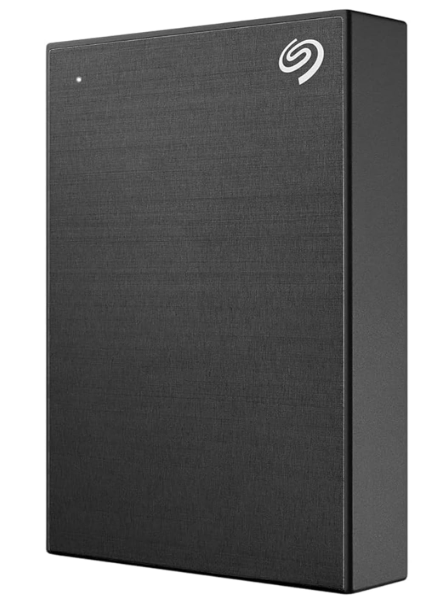
Seagate HDD: The Ultimate Portable Storage Solution
In today’s digital world, data has become one of the most valuable assets. Whether you are a student, gamer, photographer, video editor, business professional, or everyday computer user, storing your important files safely is essential. This is where a reliable Seagate HDD becomes one of the best investments you can make.
The Seagate One Touch External Hard Drive is designed for users who need a combination of large storage capacity, portability, security, and dependable performance. Available in multiple storage options ranging from 1TB to 20TB, this portable drive allows you to store thousands of documents, high-resolution photos, 4K videos, games, software, and complete system backups without worrying about running out of space.
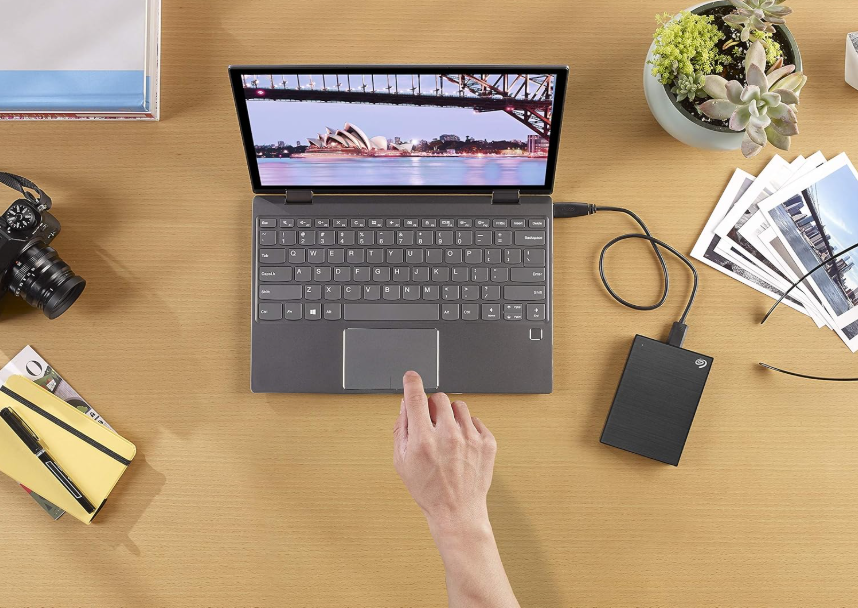
Unlike cloud storage, which depends on internet connectivity and monthly subscription fees, a Seagate HDD gives you complete control over your data. Simply plug the drive into your Windows PC or Mac using the USB cable, and your files are instantly accessible wherever you go.
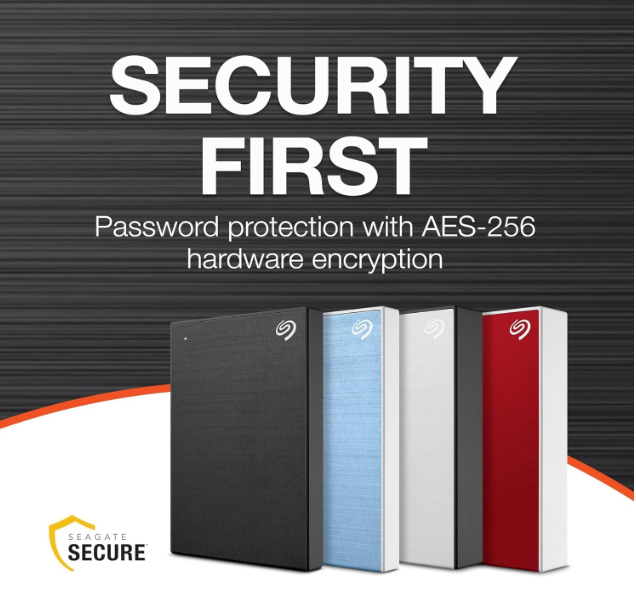
One of the standout features of the Seagate One Touch series is its built-in password protection with hardware encryption, ensuring your personal files remain safe even if the drive is misplaced. Additionally, Seagate includes 3-Year Rescue Data Recovery Services, providing extra confidence against accidental data loss.
Whether you’re backing up your family memories, transferring office files, storing your gaming library, or managing professional video projects, the Seagate HDD offers an excellent balance of performance, portability, and reliability.
In this comprehensive guide, we will explore every important aspect of the Seagate HDD, including its specifications, available capacities, features, pricing, compatibility, and why it continues to be one of the most trusted external hard drives worldwide.
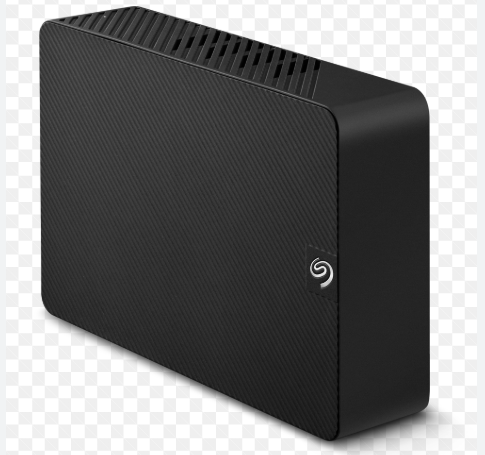
you nare intrested in read this articlehttps://raunakkumar.com/samsung-990-pro-ssd-2tb-review/
Overview of Seagate One Touch External HDD
The Seagate One Touch External Hard Drive is a premium portable storage device that combines elegant design with dependable performance. It is built specifically for users who need reliable external storage without complicated setup procedures.
Its compact 2.5-inch design allows you to carry several terabytes of storage in your backpack or laptop bag. Despite its lightweight body, the drive is engineered for daily use and long-term reliability.
The brushed aluminum finish provides a modern appearance while also protecting the drive from minor scratches during travel.
Unlike ordinary portable drives, the Seagate HDD includes additional premium software and security features such as:
- Password Protection
- AES Hardware Encryption
- Automatic Backup Software
- Rescue Data Recovery Services
- Windows Compatibility
- macOS Compatibility
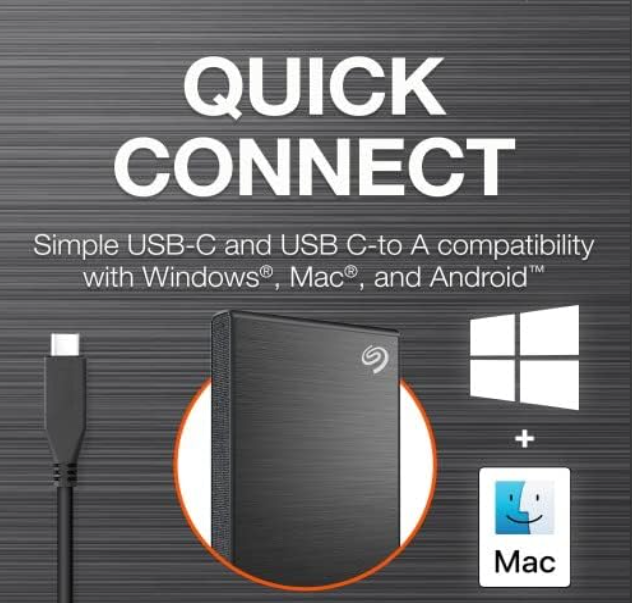
- USB Plug-and-Play Support
- Compact Portable Design
These features make it suitable for both personal and professional use.
Seagate HDD Specifications
| Specification | Details |
|---|---|
| Product Name | Seagate One Touch External HDD |
| Brand | Seagate |
| Storage Type | External Mechanical Hard Drive |
| Drive Size | 2.5-inch Portable HDD |
| Interface | USB 3.0 |
| USB Compatibility | USB 3.0 / USB 2.0 |
| Available Capacities | 1TB, 2TB, 4TB, 5TB, 8TB, 20TB |
| Operating Systems | Windows & macOS |
| Password Protection | Yes |
| Hardware Encryption | AES Encryption |
| Backup Software | Seagate Toolkit |
| Rescue Data Recovery | Included (Selected Models) |
| Warranty | 3 Years |
| Plug & Play | Yes |
| Power Source | USB Powered |
| Color Options | Black, Silver, Light Blue, Space Gray |
Available Storage Capacities
One of the biggest advantages of purchasing a Seagate HDD is the wide range of storage options available. Whether you only need space for office documents or want to store thousands of movies and games, there is a suitable capacity for every user.
1TB Seagate HDD
Ideal for:
- Office files
- Assignments
- PDFs
- Documents
- Music collection
- Family photos
Suitable for users who require affordable external storage for everyday computing.
2TB Seagate HDD
Recommended for:
- College students
- Software backups
- Moderate gaming
- HD movies
- Personal videos
The 2TB model offers double the storage while maintaining excellent portability.
4TB Seagate HDD
Perfect for:
- Professional photographers
- Graphic designers
- Content creators
- Video editors
- Freelancers
This capacity easily stores thousands of RAW photos and large project files.
5TB Seagate HDD
The 5TB Seagate HDD is among the most popular variants.
It provides enough storage for:
- 1,000,000+ Photos
- Hundreds of 4K Videos
- Large Gaming Libraries
- Business Backups
- Multiple Laptop Backups
This model delivers outstanding value for users requiring maximum portable storage.
8TB Seagate HDD
Designed for professionals handling massive amounts of data.
Ideal for:
- YouTubers
- Video Production
- Large Businesses
- NAS Backup
- Multimedia Archives
20TB Seagate HDD
Built primarily for enterprise users.
Suitable for:
- Server Backups
- Enterprise Storage
- Surveillance Data
- Massive Video Libraries
- Data Centers
Capacity Comparison Table
| Capacity | Best For |
|---|---|
| 1TB | Students |
| 2TB | Home Users |
| 4TB | Professionals |
| 5TB | Content Creators |
| 8TB | Heavy Users |
| 20TB | Enterprise |
Approximate Price Range
The prices of Seagate HDD models vary depending on storage capacity, offers, and online retailers.
| Capacity | Approximate Price (INR) |
|---|---|
| 1TB | ₹5,000 – ₹7,000 |
| 2TB | ₹7,000 – ₹9,500 |
| 4TB | ₹11,000 – ₹15,000 |
| 5TB | ₹16,500 – ₹20,500 |
| 8TB | ₹20,000 – ₹28,000 |
| 20TB | ₹45,000+ |
Note: Prices fluctuate during sales and promotional offers. Always check the latest listing before purchasing.
Key Features of Seagate HDD
1. Massive Storage Capacity
The biggest strength of a Seagate HDD is its enormous storage capacity. Even the 5TB model can store an impressive amount of data.
Approximate storage:
- Over 1 million photos
- Thousands of HD movies
- Hundreds of games
- Countless office documents
- Large software collections
This makes it an excellent long-term storage solution.
2. Password Protection
Security is a major concern for portable storage devices.
The Seagate HDD includes password protection, allowing users to secure confidential files against unauthorized access.
Whether you store office documents, financial records, or personal photos, password protection adds an extra layer of security.
3. Hardware Encryption
Unlike software-only security, the Seagate HDD supports AES hardware encryption.
Benefits include:
- Enhanced data protection
- Secure file storage
- Protection against unauthorized access
- Improved privacy for business users
Hardware encryption operates in the background and does not significantly affect everyday performance.
4. USB 3.0 High-Speed Connectivity
The drive uses USB 3.0, delivering significantly faster transfer speeds than older USB 2.0 devices while remaining backward compatible.
Advantages include:
- Faster backups
- Quicker file transfers
- Plug-and-play convenience
- No external power adapter required
5. Windows and Mac Compatibility
One of the biggest advantages of the Seagate HDD is its cross-platform compatibility.
Supported operating systems include:
- Windows 11
- Windows 10
- Windows 8
- Windows 7
- macOS (reformatting may be required for Time Machine support)
This flexibility makes it easy to switch between different systems as needed.
6. Automatic Backup Software
The included Seagate Toolkit software simplifies protecting your files.
You can configure:
- Daily backups
- Weekly backups
- Monthly backups
- Manual one-click backups
This automation reduces the risk of losing important data.
7. Rescue Data Recovery Services
Selected Seagate HDD models include 3-Year Rescue Data Recovery Services.
This service is designed to help recover data in the event of accidental deletion, drive failure, or certain types of physical damage, providing additional peace of mind.
8. Elegant Portable Design
The Seagate One Touch HDD features a minimalist brushed metal finish that combines style with practicality.
Available color options include:
- Black
- Silver
- Light Blue
- Space Gray
Its slim and lightweight design makes it easy to carry between home, office, school, or while traveling.
Performance of Seagate HDD
Performance is one of the most important factors when choosing an external hard drive. While SSDs are known for their blazing-fast speeds, traditional hard drives like the Seagate HDD remain the preferred choice for users who need large storage capacity at an affordable price.
The Seagate One Touch External HDD is built with a USB 3.0 interface, allowing significantly faster file transfers than USB 2.0 devices. Although actual performance depends on your computer, file types, and workload, the drive provides smooth and reliable performance for everyday tasks such as backups, media storage, and file transfers.
For users who regularly work with high-resolution photos, Full HD videos, office files, and software backups, the Seagate HDD delivers consistent transfer speeds without noticeable interruptions.
USB 3.0 Performance
One of the strongest features of the Seagate HDD is its USB 3.0 connectivity.
Compared to USB 2.0, USB 3.0 offers much higher bandwidth, making large file transfers much quicker.
Benefits of USB 3.0
- Faster file copying
- Smooth video transfers
- Reduced backup time
- Better compatibility
- Plug-and-play installation
- Backward compatible with USB 2.0
Whether you’re moving a few documents or several gigabytes of video footage, USB 3.0 helps complete the job efficiently.
File Transfer Experience
In day-to-day use, the Seagate HDD performs well across a variety of file sizes.
Small Files
The drive efficiently handles:
- Word documents
- Excel sheets
- PowerPoint presentations
- PDFs
- Music files
Medium Files
It is equally capable when transferring:
- RAW photographs
- Photoshop projects
- Software installers
- Compressed archives
- HD movies
Large Files
Large data sets such as:
- 4K videos
- ISO images
- Game libraries
- Professional editing projects
- Complete system backups
can be transferred reliably, though—as with any mechanical hard drive—very large transfers may take more time than on an SSD.
Backup Performance
One of the primary reasons people purchase a Seagate HDD is for reliable backups.
The included Seagate Toolkit software makes creating backups simple, even for beginners.
You can choose between:
- One-click backup
- Scheduled daily backup
- Weekly backup
- Monthly backup
- Manual file selection
This flexibility allows users to protect important files automatically without remembering to back them up each time.
Password Protection
Modern storage devices must provide more than just capacity—they also need strong security.
The Seagate HDD includes password protection to help safeguard your personal and professional data.
This is especially useful if you carry the drive while traveling or use it in shared environments.
Password Protection Benefits
- Prevents unauthorized access
- Protects sensitive documents
- Secures financial records
- Safeguards personal photos
- Enhances business data security
By enabling password protection during setup, only users with the correct credentials can access the stored data.
Hardware Encryption
Beyond password protection, the Seagate HDD also supports hardware-based encryption on supported models.
Hardware encryption works at the drive level, helping secure data without relying entirely on software running on your computer.
Advantages
- Strong data protection
- Better privacy
- Low impact on performance
- Business-friendly security
- Reliable long-term protection
This feature is particularly valuable for professionals who store confidential client information or important work files.
Design and Build Quality
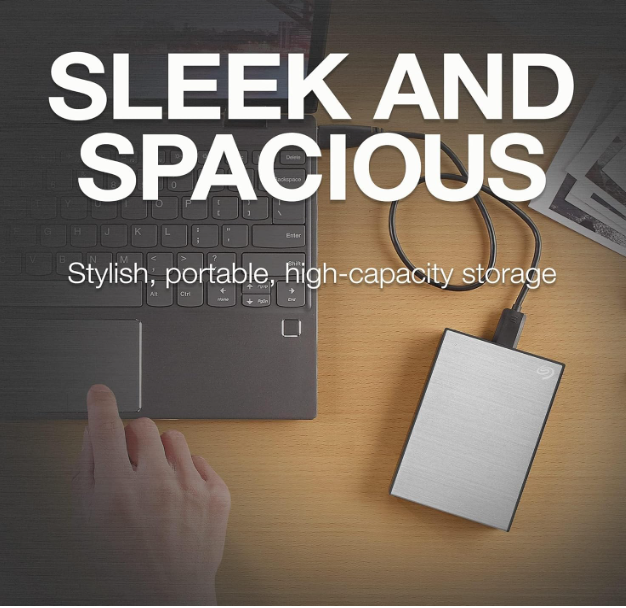
Seagate has designed the One Touch series with both aesthetics and portability in mind.
The brushed metal finish gives the drive a premium appearance while helping resist minor scratches from everyday use.
Unlike bulky desktop drives, the portable Seagate HDD is compact enough to fit comfortably into a laptop bag, backpack, or even a large pocket.
Design Highlights
- Slim profile
- Lightweight body
- Premium brushed finish
- Durable construction
- Easy to carry
- Modern minimalist appearance
The understated design makes it suitable for both personal and professional environments.
Portability
One of the biggest advantages of the Seagate HDD is its portability.
Since it is powered directly through the USB cable, there is no need to carry an additional power adapter.
This makes it ideal for:
- Students
- Business travelers
- Photographers
- Freelancers
- Remote workers
- Content creators
Simply connect the drive to a compatible computer and begin transferring files immediately.
Windows Compatibility
The Seagate HDD is fully compatible with Windows PCs.
Supported versions generally include:
- Windows 11
- Windows 10
- Windows 8
- Windows 7 (where supported)
Setup is straightforward:
- Connect the USB cable.
- Wait for the system to detect the drive.
- Open File Explorer.
- Start transferring files.
No advanced technical knowledge is required for everyday use.
macOS Compatibility
Mac users can also take advantage of the Seagate HDD.
The drive works with macOS, and users who wish to use Apple’s Time Machine backup feature may need to reformat the drive to a compatible file system.
Once configured, it becomes a dependable backup solution for MacBooks and iMacs.
Real-World Usage Scenarios
The versatility of the Seagate HDD makes it suitable for a wide range of users.
For Students
Students often need portable storage for assignments, lecture notes, PDFs, and multimedia projects.
The drive can easily store:
- Research papers
- Study material
- Presentations
- Recorded lectures
- Educational videos
It also serves as a convenient backup for laptops used throughout the academic year.
For Office Professionals
Professionals working with documents and business data benefit from:
- Secure file storage
- Automatic backups
- Easy portability
- Password protection
- Organized project archives
Whether working from home or in the office, the Seagate HDD provides a practical way to carry important files securely.
For Photographers
Modern DSLR and mirrorless cameras produce large RAW image files that quickly consume internal storage.
The Seagate HDD offers ample space for:
- RAW photos
- JPEG collections
- Lightroom catalogs
- Client galleries
- Archived projects
Its portability also makes it useful for photographers working on location.
For Video Editors
Video editing projects can require hundreds of gigabytes of storage.
The Seagate HDD is well-suited for storing:
- Full HD footage
- 4K video files
- Editing project folders
- Exported videos
- Audio assets
- Motion graphics
While an SSD is often preferred for active editing due to higher speeds, a Seagate HDD remains an excellent option for project storage and backups.
For Gamers
Modern PC games frequently exceed 100GB each, making external storage increasingly valuable.
The Seagate HDD can be used to:
- Store game installers
- Archive older games
- Back up saved data
- Manage large game libraries
It provides an affordable way to expand storage without replacing your computer’s internal drive.
For Home Users
Families can use a Seagate HDD to safely store:
- Vacation photos
- Home videos
- Music collections
- Movies
- Personal documents
- Tax records
Keeping these files in one organized location simplifies backup and retrieval.
Noise and Heat
As a mechanical hard drive, the Seagate HDD may produce a slight spinning sound during operation, which is normal.
In everyday use:
- Noise levels are generally low.
- Heat remains within expected operating limits.
- Performance stays consistent during typical workloads.
Ensuring adequate ventilation and handling the drive carefully can help maintain long-term reliability.
Reliability
Seagate has decades of experience manufacturing storage solutions, and the One Touch series is designed for dependable daily use.
Additional features such as:
- Password protection
- Backup software
- Rescue Data Recovery Services
- Three-year warranty (on eligible models)
enhance the overall ownership experience and provide extra confidence in protecting valuable data.
Seagate HDD vs WD My Passport
Many buyers compare the Seagate HDD with the WD My Passport, as both are popular portable external hard drives.
| Feature | Seagate HDD | WD My Passport |
|---|---|---|
| Storage Options | 1TB–20TB (varies by product line) | 1TB–6TB (portable range) |
| Password Protection | Yes | Yes |
| Hardware Encryption | Yes | Yes |
| USB Interface | USB 3.0 | USB 3.0 |
| Automatic Backup | Yes | Yes |
| Windows Support | Yes | Yes |
| Mac Support | Yes | Yes |
| Rescue Data Recovery | Available on selected models | Typically not included |
| Design | Brushed Metal | Textured Plastic |
The Seagate HDD stands out for its premium metal finish and the inclusion of Rescue Data Recovery Services on supported models.
Seagate HDD vs Toshiba Canvio
Another common competitor is the Toshiba Canvio series.
| Feature | Seagate HDD | Toshiba Canvio |
|---|---|---|
| Password Protection | Yes | Selected models |
| Backup Software | Yes | Yes |
| Capacity Options | Up to 20TB (product line) | Lower maximum portable capacities |
| Design | Premium Metal Finish | Plastic Body |
| USB 3.0 | Yes | Yes |
| Windows Support | Yes | Yes |
| Mac Support | Yes | Yes |
For users seeking additional security features and premium aesthetics, the Seagate HDD offers a compelling package.
Who Should Buy the Seagate HDD?
The Seagate HDD is an excellent choice for:
- Students needing affordable backup storage
- Office professionals managing important documents
- Photographers storing RAW image libraries
- Video editors archiving large projects
- Gamers expanding storage capacity
- Families preserving photos and videos
- Small businesses backing up essential data
- Travelers who need portable, secure storage
Its combination of large capacities, password protection, hardware encryption, automatic backups, and portable design makes it suitable for a wide variety of everyday and professional use cases.
Pros and Cons of Seagate HDD
Every storage device has its own strengths and limitations. The Seagate HDD is no exception. Before purchasing, it’s important to understand both its advantages and areas where another type of storage, such as an SSD, might be more suitable.
Pros
1. Large Storage Capacity
One of the biggest advantages of the Seagate HDD is its impressive storage options. Whether you need 1TB for everyday documents or 5TB for a growing media library, there is a capacity for nearly every type of user.
2. Excellent Value for Money
Compared to external SSDs, a Seagate HDD provides significantly more storage per rupee. Users who prioritize capacity over maximum speed will find it to be a cost-effective choice.
3. Password Protection
Built-in password protection helps keep your personal and business files secure from unauthorized access, making it suitable for professionals and travelers.
4. Hardware Encryption
Selected models include hardware encryption, adding another layer of protection for sensitive data without requiring additional software.
5. Automatic Backup Software
The included Seagate Toolkit software allows users to create scheduled backups with minimal effort, reducing the risk of accidental data loss.
6. Windows and Mac Compatibility
The Seagate HDD works with both Windows and macOS, making it a versatile storage solution for users with different devices.
7. Portable Design
The compact 2.5-inch form factor and USB-powered operation make it easy to carry the drive anywhere without needing an external power adapter.
8. Rescue Data Recovery Services
Many One Touch models include 3-Year Rescue Data Recovery Services, offering added peace of mind in case of certain data loss situations.
9. Trusted Brand
Seagate has been manufacturing storage devices for decades and is recognized globally for its hard drives and storage solutions.
Cons
While the Seagate HDD has many advantages, there are a few limitations to keep in mind.
- Mechanical hard drives are slower than SSDs for demanding workloads.
- Performance may decrease slightly during very large file transfers.
- The drive contains moving parts, so it should be handled carefully to avoid physical damage.
- Some Mac users may need to reformat the drive before using Time Machine.
- Password protection and backup features require initial setup.
For users whose primary priority is speed rather than storage capacity, an external SSD may be a better option. However, for most backup and storage needs, the Seagate HDD remains an excellent choice.
Buying Guide: How to Choose the Right Seagate HDD
Selecting the right capacity depends on your storage needs.
Choose 1TB If:
- You mainly store documents and photos.
- You need an affordable backup drive.
- You are a student or casual user.
Choose 2TB If:
- You have a moderate media collection.
- You install multiple software applications.
- You want room for future growth.
Choose 4TB If:
- You are a photographer.
- You edit images regularly.
- You work with large project files.
Choose 5TB If:
The 5TB Seagate HDD is ideal if you:
- Edit videos.
- Store large game libraries.
- Keep multiple system backups.
- Archive family photos and videos.
- Need a balance between portability and high capacity.
Choose 8TB If:
- You manage professional media libraries.
- You archive years of content.
- You require substantial backup space.
Choose 20TB If:
- You operate a business.
- You maintain servers or surveillance storage.
- You need enterprise-level capacity.
Tips for Maintaining Your Seagate HDD
Proper care can help extend the life of your external hard drive.
- Always use the “Safely Remove Hardware” option before disconnecting.
- Avoid dropping or shaking the drive while it is operating.
- Store the drive in a cool, dry place.
- Keep the USB cable in good condition.
- Create backups of critical files in more than one location.
- Enable password protection if storing sensitive information.
- Periodically check the drive’s health using appropriate diagnostic tools.
Frequently Asked Questions (FAQs)
1. What is a Seagate HDD?
A Seagate HDD is an external or internal hard disk drive designed to store documents, photos, videos, games, software, and backups.
2. Is the Seagate One Touch HDD compatible with Windows?
Yes. It supports Windows computers and works through a USB connection.
3. Can I use the Seagate HDD with a Mac?
Yes. The drive is compatible with macOS, although reformatting may be required for Time Machine.
4. Does the Seagate HDD require external power?
No. Portable One Touch models are powered directly through the USB cable.
5. Does the Seagate HDD include password protection?
Yes. Supported models include password protection to help secure your files.
6. What is Rescue Data Recovery Service?
It is a service included with selected models that assists with data recovery in certain situations involving accidental data loss or hardware issues.
7. Is the Seagate HDD good for gaming?
Yes. It is suitable for storing game files, installers, and backups. However, loading times are generally slower than an SSD.
8. Is the Seagate HDD good for video editing?
Yes. It is well-suited for storing large video projects and archived footage. Many editors also use SSDs as working drives for active editing.
9. Can I schedule automatic backups?
Yes. Seagate Toolkit allows daily, weekly, and monthly scheduled backups.
10. Does the Seagate HDD support USB 2.0?
Yes. It is backward compatible with USB 2.0, though transfer speeds will be lower.
11. Is hardware encryption available?
Yes. Supported One Touch models include hardware encryption for enhanced data security.
12. Can I store movies on a Seagate HDD?
Absolutely. The drive is ideal for storing HD and 4K movie collections.
13. Is the Seagate HDD suitable for photographers?
Yes. It provides ample space for RAW images, edited photos, and project archives.
14. Is the Seagate HDD reliable?
Seagate is a well-established storage manufacturer, and the One Touch series is designed for dependable everyday use when handled properly.
15. What warranty comes with the Seagate One Touch HDD?
Many models include a 3-year limited warranty, though warranty terms may vary by region and model.
16. Can I use the drive for laptop backups?
Yes. It is an excellent solution for creating full or partial laptop backups.
17. Does the drive work without installing software?
Yes. Basic file storage works immediately after connecting the drive. Optional software provides backup and security features.
18. Is the Seagate HDD worth buying?
For users seeking high-capacity, portable storage with security features and a competitive price, the Seagate HDD offers excellent overall value.
Final Verdict
The Seagate One Touch External Hard Drive continues to be one of the best portable storage solutions for users who need a combination of large capacity, dependable performance, portability, and built-in security. Whether you choose the 1TB model for basic backups or the 5TB version for extensive media libraries, the drive delivers a practical balance between storage space and affordability.
Features such as password protection, hardware encryption, USB 3.0 connectivity, automatic backup support, and Rescue Data Recovery Services further strengthen its appeal. While it cannot match the speed of an SSD, it excels as a reliable storage and backup device for students, professionals, photographers, content creators, gamers, and home users.
If your priority is storing large amounts of data without spending significantly more on solid-state storage, the Seagate HDD remains one of the most compelling options available. Its combination of trusted brand reputation, versatile compatibility with Windows and macOS, premium portable design, and wide range of capacities makes it a worthwhile investment for anyone looking to protect and organize their digital life.