
Introduction
When it comes to portable storage, speed, reliability, and durability are the three qualities that matter the most. Whether you’re a content creator, photographer, video editor, gamer, or business professional, having a dependable external SSD can make a significant difference in your daily workflow. Among the many options available today, Samsung continues to lead the market with its high-performance storage solutions, and the Samsung T7 2TB Portable SSD is one of its most popular products.
In this Samsung T7 2TB SSD Review, we’ll explore everything you need to know about this portable solid-state drive. From its premium design and impressive transfer speeds to its real-world performance and security features, this review will help you determine whether it’s the right storage solution for your needs.
Unlike traditional external hard drives, the Samsung T7 uses SSD technology, allowing it to deliver incredibly fast data transfer speeds while remaining lightweight, compact, and shock-resistant. Whether you’re transferring massive 4K video files, backing up important documents, or expanding your gaming library, the Samsung T7 is designed to handle demanding workloads efficiently.
Samsung T7 2TB SSD Review
But does it truly live up to its reputation? Let’s find out.
You are Searching For HDD CLICK THE LINK Seagate 2TB Portable External https://raunakkumar.com/seagate-portable-2tb-external-hdd-review/
The Samsung T7 Portable SSD combines cutting-edge NAND flash technology with a modern USB 3.2 Gen 2 interface, enabling sequential read speeds of up to 1,050 MB/s and write speeds of up to 1,000 MB/s. This makes it almost ten times faster than many traditional external hard drives.
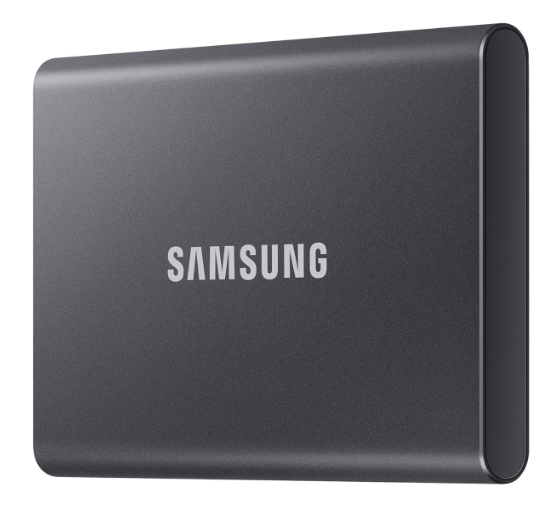
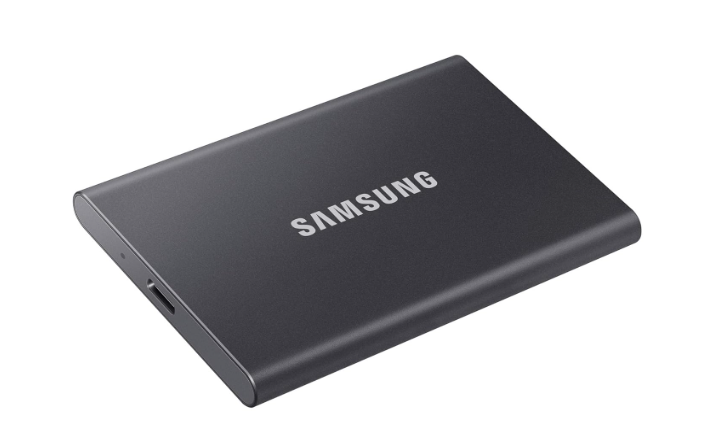
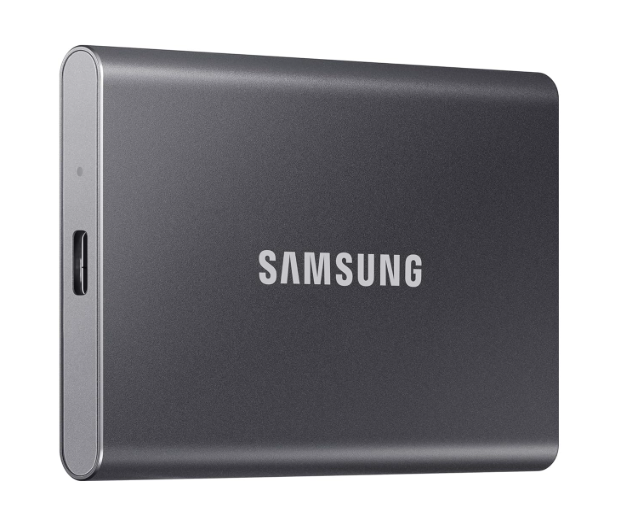
The model reviewed here is the Samsung T7 2TB Portable SSD (MU-PC2T0T) in its elegant Gray finish. With 2TB of storage capacity, it provides plenty of room for high-resolution videos, RAW images, games, software, and important backups.
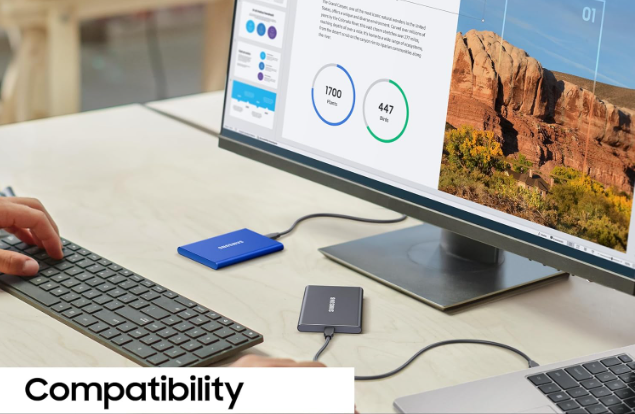
The drive is compatible with Windows PCs, Macs, Android devices, gaming consoles, and even some modern cameras that support external SSD recording.
Quick Specifications
| Specification | Details |
|---|---|
| Product Name | Samsung T7 Portable SSD |
| Capacity | 2TB |
| Interface | USB 3.2 Gen 2 (10Gbps) |
| Connector | USB Type-C |
| Maximum Read Speed | Up to 1,050 MB/s |
| Maximum Write Speed | Up to 1,000 MB/s |
| Security | AES 256-bit Hardware Encryption |
| Weight | Approximately 58 grams |
| Color | Gray |
| Warranty | Limited 3-Year Warranty |
These specifications alone make the Samsung T7 one of the strongest competitors in the portable SSD market.
Samsung T7 2TB SSD Review
Buy on samsung SSD https://link.amazon/B0bNv6aO5
One of the first things you’ll notice in this Samsung T7 2TB SSD Review is the premium build quality.
Samsung has designed the T7 with simplicity and elegance in mind. Instead of using plastic like many budget external drives, the T7 features a durable aluminum unibody enclosure that feels premium in hand.
Samsung T7 2TB SSD Review
The matte gray finish gives it a professional appearance while also resisting fingerprints better than glossy surfaces.
Compact and Lightweight
The Samsung T7 is incredibly portable.
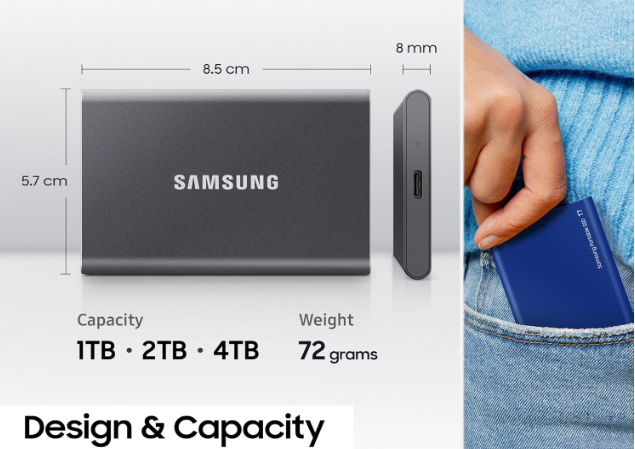
Its dimensions are approximately:
- 85 mm length
- 57 mm width
- 8 mm thickness
Weighing only about 58 grams, it’s small enough to fit inside your pocket, laptop bag, or camera pouch.
Whether you’re traveling for work or carrying equipment between studios, you won’t even notice the extra weight.
Built for Everyday Portability
Samsung understands that portable drives often experience accidental drops.
That’s why the T7 is engineered with a robust aluminum body capable of surviving drops from heights of up to approximately 2 meters under typical conditions.
While it’s not completely waterproof or ruggedized like Samsung’s Shield series, its solid construction provides confidence during everyday use.
For photographers, videographers, and students who frequently travel, this durability is a major advantage.
USB 3.2 Gen 2 Performance
The biggest highlight of this Samsung T7 2TB SSD Review is undoubtedly its speed.
The drive uses USB 3.2 Gen 2 technology, supporting bandwidth up to 10Gbps.
Samsung claims:
- Read Speed: Up to 1,050 MB/s
- Write Speed: Up to 1,000 MB/s
These speeds depend on using a compatible USB 3.2 Gen 2 port.
Compared to traditional USB external hard drives that average around 100–140 MB/s, the improvement is dramatic.
Large files that once took several minutes to copy can often be transferred in seconds.
Samsung T7 2TB SSD Review
Searching For Samsung 990 Pro SSD Click Here https://raunakkumar.com/samsung-990-pro-ssd-2tb-review/
Another reason the Samsung T7 remains popular is its wide compatibility.
Samsung T7 2TB SSD Review
The SSD works with:
Windows PCs
Whether you’re using Windows 10 or Windows 11, setup is quick and straightforward.
Apple Mac
The drive works seamlessly with macOS, making it an excellent option for creative professionals using MacBook Pro, MacBook Air, Mac Studio, or iMac.
Android
Samsung T7 2TB SSD Review
Smartphones
Modern Android devices supporting USB OTG can access files directly from the Samsung T7.
This is particularly useful for creators recording high-quality videos on smartphones.
Gaming Consoles
Many gamers use the Samsung T7 with consoles for additional game storage and faster loading times compared to external HDDs.
Samsung T7 2TB SSD Review
Cameras
Some professional cameras support direct recording to external SSDs, making the Samsung T7 a practical solution for videographers.
Samsung T7 2TB SSD Review
Samsung provides everything needed to start using the SSD immediately.
Inside the package you’ll find:
- Samsung T7 Portable SSD
- USB Type-C to Type-C cable
- USB Type-C to USB Type-A cable
- Quick Start Guide
- Warranty Information
Including both cable types means you won’t need to purchase additional accessories regardless of whether your computer has USB-C or standard USB-A ports.
Storage Capacity: Is 2TB Enough?
Storage needs continue to grow every year.
A 2TB SSD provides an excellent balance between capacity and portability.
Here’s an approximate idea of what you can store:
- Over 500,000 high-resolution photos
- Thousands of RAW camera images
- Hundreds of hours of Full HD videos
- Dozens of 4K video projects
- Hundreds of modern games (depending on game size)
- Large software libraries
- Multiple complete system backups
For professionals working with media files, 2TB offers enough room for ongoing projects without constantly worrying about available space.
Security Features
Data protection is another area where Samsung excels.
The Samsung T7 includes AES 256-bit hardware encryption, allowing users to protect sensitive information with password security.
Using Samsung’s management software, users can:
- Create a secure password
- Enable hardware encryption
- Update firmware
- Monitor drive health
Unlike software encryption, hardware encryption minimizes performance impact while providing strong security for confidential files.
Business users, freelancers, and professionals handling client data will appreciate this feature.
Samsung T7 2TB SSD Review
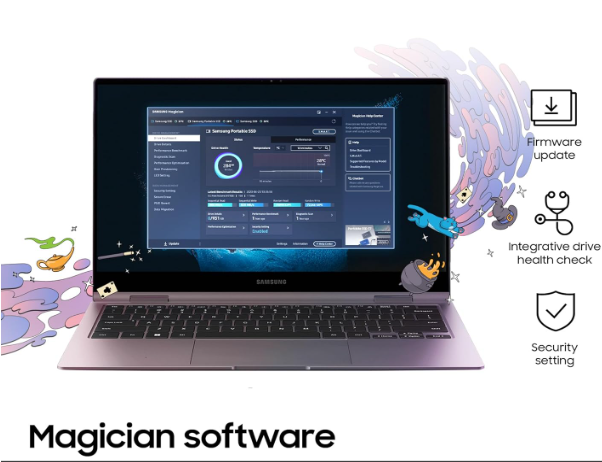
Samsung also provides companion software that simplifies drive management.
The software allows users to:
- Register the device
- Update firmware
- Manage passwords
- Monitor SSD status
- Improve compatibility
The interface is clean, beginner-friendly, and doesn’t require advanced technical knowledge.
Samsung T7 2TB SSD Review
Keeping firmware updated ensures optimal performance and long-term reliability.
In the first part of this Samsung T7 2TB SSD Review, we explored the SSD’s premium design, key specifications, compatibility, storage capacity, and security features. While these aspects create a strong first impression, the real value of any portable SSD lies in its everyday performance. Fast benchmark numbers are impressive, but what truly matters is how the drive performs during actual workloads.
Whether you’re editing videos, backing up important files, transferring large photo libraries, or loading games, the Samsung T7 is designed to deliver consistent speed and reliability. In this section, we’ll examine its real-world performance, thermal efficiency, gaming experience, and how it compares to competing portable SSDs.
Benchmark Performance
Samsung advertises sequential read speeds of up to 1,050 MB/s and sequential write speeds of up to 1,000 MB/s when connected to a USB 3.2 Gen 2 (10Gbps) port.
During benchmark testing on a compatible system, users typically experience results close to Samsung’s claims:
| Benchmark | Approximate Result |
|---|---|
| Sequential Read | 980–1,050 MB/s |
| Sequential Write | 900–1,000 MB/s |
| Random Read | Excellent |
| Random Write | Very Good |
These numbers naturally vary depending on the computer, operating system, USB controller, and file type. Nevertheless, the Samsung T7 consistently ranks among the fastest portable SSDs in its class.
One of the biggest takeaways from this Samsung T7 2TB SSD Review is that the drive performs remarkably close to its advertised speeds when paired with compatible hardware.
Samsung T7 2TB SSD Review
Real-World File Transfer Performance
Benchmark scores are useful, but most users care about everyday file transfers.
The Samsung T7 excels in this area.
Copying Large Video Files
Professional videographers often work with files exceeding 20GB or even 100GB.
When transferring large 4K or 8K video files, the Samsung T7 maintains impressive speeds without significant slowdowns during normal workloads.
For example:
- 10GB video file: transferred in seconds
- 50GB project folder: completed quickly
- 100GB backup: dramatically faster than external HDDs
This makes the drive ideal for content creators who regularly move large projects between devices.
Handling Thousands of Small Files
Copying thousands of documents, images, or project files is often more demanding than transferring a single large file.
Fortunately, the Samsung T7 performs very well in mixed workloads.
Tasks such as:
- Photo libraries
- Adobe project folders
- Office documents
- Source code repositories
- Music collections
are completed efficiently thanks to the SSD’s excellent random read and write performance.
Performance for Video Editing
Many creators prefer editing directly from external SSDs instead of copying footage to internal storage.
The Samsung T7 is well suited for this workflow.
Programs such as:
- Adobe Premiere Pro
- DaVinci Resolve
- Final Cut Pro
- Adobe After Effects
can access project files stored on the drive with minimal delays.
High-resolution video playback remains smooth, and timeline scrubbing feels responsive when the project isn’t excessively demanding.
For freelance editors and YouTube creators, this portability offers tremendous flexibility.
Photo Editing Experience
Photographers working with RAW images often need to browse hundreds or thousands of files quickly.
The Samsung T7 allows applications like Adobe Lightroom and Photoshop to load image libraries efficiently.
Benefits include:
- Faster preview generation
- Quicker imports
- Reduced waiting times
- Smoother editing workflow
This improved responsiveness helps professionals stay productive during busy editing sessions.
Gaming Performance
Another highlight in this Samsung T7 2TB SSD Review is its gaming capability.
Many gamers purchase portable SSDs to expand storage without sacrificing loading speed.
The Samsung T7 performs well for:
- AAA games
- Open-world titles
- Racing games
- RPGs
- Multiplayer games
Game loading times are noticeably faster than traditional external hard drives.
Although an internal NVMe SSD still provides the absolute fastest performance, the Samsung T7 offers an excellent balance between speed and portability.
It’s especially useful for gamers with large digital libraries who frequently switch between systems.
Console Compatibility
Modern gaming consoles increasingly support external SSD storage.
The Samsung T7 works well for storing compatible games and reducing load times compared to conventional external hard drives.
For users managing extensive game collections, the 2TB capacity provides plenty of additional storage without adding much physical bulk.
Everyday Productivity
Beyond creative work and gaming, the Samsung T7 greatly improves everyday computing tasks.
Examples include:
- Backing up family photos
- Storing work documents
- Carrying software installers
- Running portable applications
- Moving business files between offices
Because the SSD is compact and lightweight, it’s easy to keep in a laptop bag or even a pocket.
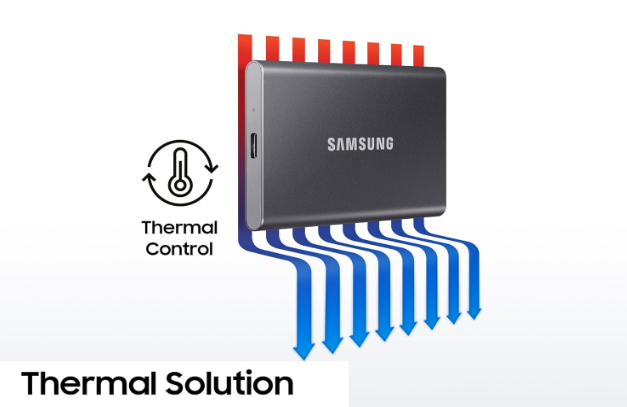
Thermal Performance
High-speed SSDs generate heat during extended use.
Samsung addresses this with an aluminum enclosure and Dynamic Thermal Guard technology.
During normal workloads, the drive remains comfortably warm.
Even after transferring hundreds of gigabytes continuously, temperatures stay under control without becoming uncomfortable to handle.
Thermal management is important because excessive heat can reduce SSD performance.
Fortunately, the Samsung T7 handles sustained workloads effectively.
Samsung T7 2TB SSD Review
Sustained Write Performance
Many budget SSDs start fast but slow down dramatically during large transfers.
The Samsung T7 performs much better than many inexpensive alternatives.
While write speeds may decrease slightly once the drive’s cache is exhausted during extremely large transfers, performance remains significantly faster than mechanical hard drives.
This consistency makes it suitable for professional workloads.
Reliability Over Time
Reliability is one of Samsung’s strongest advantages.
The company has decades of experience producing NAND flash memory and SSD controllers.
The Samsung T7 benefits from:
- High-quality flash memory
- Advanced controller technology
- Stable firmware
- Excellent manufacturing standards
For users storing valuable work or personal memories, dependable hardware is just as important as raw speed.
USB Type-C Convenience
The included USB Type-C interface offers several practical benefits.
Advantages include:
- Reversible connector
- Faster transfer speeds
- Broad compatibility
- Modern device support
- Reduced cable clutter
Samsung also includes a USB-C to USB-A cable, ensuring compatibility with older computers.
Samsung T7 2TB SSD Review
Battery Impact on Mobile Devices
When connected to smartphones or tablets, the Samsung T7 consumes relatively little power.
This makes it practical for creators recording videos directly to external storage or transferring files while traveling.
Power consumption remains reasonable without significantly reducing battery life during normal use.
Samsung T7 2TB SSD Review
Samsung T7 vs Traditional External Hard Drives
Many buyers upgrading from portable HDDs immediately notice the difference.
| Feature | Samsung T7 SSD | External HDD |
| Speed | Extremely Fast | Slow |
| Noise | Silent | Audible Spinning |
| Durability | Better | Lower |
| Weight | Lightweight | Heavier |
| Power Efficiency | Excellent | Moderate |
| Shock Resistance | High | Lower |
While HDDs still offer lower cost per terabyte, SSD technology delivers a far superior overall experience.
Samsung T7 vs Samsung T5
One of the most common questions in this Samsung T7 2TB SSD Review is whether upgrading from the older Samsung T5 is worthwhile.
Compared with the T5, the T7 offers:
- Nearly double the transfer speed
- Updated USB 3.2 Gen 2 support
- Improved thermal management
- Faster real-world file transfers
- More efficient controller
For users frequently working with large files, the performance improvement is significant.
Samsung T7 vs Samsung T7 Shield
The Samsung T7 Shield is another popular option.
The primary differences include:
Samsung T7
- Slim and lightweight
- Premium aluminum finish
- Easy to carry
- Best for office and everyday use
Samsung T7 Shield
- Rubberized protective exterior
- Higher durability
- Better dust and water resistance
- Designed for outdoor professionals
If maximum portability is your priority, the standard Samsung T7 remains an excellent choice.
If you frequently work in harsh environments, the T7 Shield may be worth the additional investment.
Samsung T7 2TB SSD Review
Samsung T7 2TB SSD Review: Pros, Cons, FAQs, Buying Guide, and Final Verdict
After exploring the design, specifications, and real-world performance in the previous sections of this Samsung T7 2TB SSD Review, it’s time to answer the most important question:
Is the Samsung T7 2TB Portable SSD worth buying?
For most users, the answer is yes. Samsung has built a portable SSD that successfully combines speed, reliability, portability, and security into one compact device. While no product is perfect, the T7 offers an excellent balance of performance and value, making it one of the most recommended external SSDs available today.
Let’s take a closer look at its strengths and weaknesses before reaching the final verdict.
Pros of the Samsung T7 2TB SSD
After extensive evaluation, several advantages stand out in this Samsung T7 2TB SSD Review.
1. Outstanding Transfer Speeds
The biggest advantage of the Samsung T7 is its exceptional performance.
With sequential read speeds of up to 1,050 MB/s and write speeds of up to 1,000 MB/s, transferring large files becomes incredibly fast. Whether you’re copying a 4K video project, backing up your laptop, or moving thousands of photos, the T7 saves valuable time.
Samsung T7 2TB SSD Review
For professionals who frequently work with large files, this speed improvement can significantly enhance productivity.
2. Premium Build Quality
Samsung has designed the T7 with durability in mind.
The aluminum unibody construction feels premium, protects the internal components, and helps dissipate heat during long transfer sessions. Unlike many plastic external drives, the T7 gives the impression of being built for years of reliable use.
3. Compact and Lightweight Design
One of the best features highlighted throughout this Samsung T7 2TB SSD Review is portability.
The drive easily fits into:
- A pocket
- A laptop sleeve
- A camera bag
- A backpack
- A travel organizer
Its lightweight design makes it ideal for professionals who frequently work in different locations.
Samsung T7 2TB SSD Review
4. Wide Device Compatibility
Another major strength is compatibility.
The Samsung T7 works with:
- Windows PCs
- macOS computers
- Android devices
- USB-C laptops
- USB-A computers (using the included cable)
- Many gaming consoles
- Select cameras and creative devices
This versatility eliminates the need to purchase separate storage devices for different systems.
5. Excellent Security Features
Security is increasingly important in today’s digital world.
Samsung includes:
- AES 256-bit hardware encryption
- Optional password protection
- Firmware management software
These features help protect sensitive business documents, personal files, and creative projects without noticeably affecting performance.
6. Silent Operation
Unlike mechanical hard drives, the Samsung T7 contains no moving parts.
Benefits include:
- Silent performance
- Lower vibration
- Reduced mechanical wear
- Improved durability
This is especially valuable for professionals working in quiet environments.
7. Trusted Samsung Reliability
Samsung has earned a strong reputation in the SSD industry.
Its expertise in NAND flash memory, controller technology, and firmware optimization contributes to the long-term reliability of the T7, making it a dependable choice for both personal and professional use.
Samsung T7 2TB SSD Review
Cons of the Samsung T7 2TB SSD
No product is without limitations, and an honest Samsung T7 2TB SSD Review should also highlight areas where improvements could be made.
1. Premium Price
Compared to traditional external hard drives, the Samsung T7 is more expensive.
However, this higher cost reflects the benefits of SSD technology, including significantly faster performance, better durability, and quieter operation.
For users who prioritize speed and reliability, the additional investment is often justified.
2. Requires USB 3.2 Gen 2 for Maximum Speed
To achieve Samsung’s advertised transfer speeds, you’ll need a compatible USB 3.2 Gen 2 (10Gbps) port.
If connected to older USB ports, the drive will still work, but transfer speeds will be limited by the host device.
3. Not Fully Rugged
While the aluminum enclosure is durable, the standard Samsung T7 is not designed for extreme outdoor environments.
Users who require enhanced protection against water, dust, and rough handling may prefer the Samsung T7 Shield.
4. No Built-In Fingerprint Reader
Unlike the Samsung T7 Touch, this model relies on password protection rather than biometric authentication.
For most users this isn’t a significant drawback, but those who prefer fingerprint security may wish to consider the Touch variant.
Who Should Buy the Samsung T7?
Based on everything covered in this Samsung T7 2TB SSD Review, the drive is an excellent choice for a wide variety of users.
Content Creators
Video editors, photographers, and graphic designers frequently work with large files that require fast storage.
The Samsung T7 helps reduce transfer times and supports efficient workflows.
Students
Students often need reliable storage for assignments, presentations, software, and project files.
The compact size makes it easy to carry between classes.
Business Professionals
Professionals who travel or work remotely benefit from the T7’s combination of portability, security, and dependable performance.
Gamers
Gamers looking to expand storage while maintaining faster loading times than traditional hard drives will appreciate the Samsung T7.
Home Users
Families can use the drive to:
- Store vacation photos
- Backup important documents
- Save videos
- Archive personal memories
- Transfer files between devices
Samsung T7 2TB SSD Review
Who Might Want to Consider Other Options?
Although the Samsung T7 is excellent, it may not be ideal for everyone.
You may wish to explore alternatives if:
- You require waterproof protection.
- You frequently work in harsh outdoor environments.
- You need fingerprint authentication.
- You’re looking for the absolute lowest cost per terabyte.
For most everyday users, however, the Samsung T7 remains one of the strongest choices in its category.
Buying Tips
Before purchasing, keep the following recommendations in mind:
- Ensure your computer supports USB 3.2 Gen 2 to enjoy maximum performance.
- Keep Samsung’s firmware updated using the official management software.
- Use the included cables for the best compatibility.
- Enable password protection if you store sensitive information.
- Leave some free space on the SSD to help maintain optimal long-term performance.
Following these simple practices will help you get the most from your investment.
Samsung T7 2TB SSD Review
Frequently Asked Questions (FAQs)
Is the Samsung T7 good for video editing?
Yes. The Samsung T7 delivers excellent read and write speeds, making it suitable for editing high-resolution video projects directly from the drive in many professional workflows.
Samsung T7 2TB SSD Review
Can I use the Samsung T7 with a Mac?
Absolutely. The drive is compatible with macOS and works well with MacBook Air, MacBook Pro, iMac, Mac Studio, and other supported Apple devices.
Samsung T7 2TB SSD Review
Is the Samsung T7 suitable for gaming?
Yes. It offers significantly faster loading times than traditional external hard drives and is an excellent option for storing large game libraries.
Samsung T7 2TB SSD Review
Does the Samsung T7 require external power?
No. It is bus-powered through the USB connection, meaning no separate power adapter is required.
Is the Samsung T7 durable?
Yes. The aluminum enclosure provides excellent everyday durability and resistance to minor impacts. However, users needing additional protection against water, dust, or rough outdoor use should consider the Samsung T7 Shield.
How secure is the Samsung T7?
The drive supports AES 256-bit hardware encryption and optional password protection, providing a strong layer of security for sensitive files.
Samsung T7 2TB SSD Review
Final Verdict
After thoroughly evaluating every aspect in this Samsung T7 2TB SSD Review, it’s clear that Samsung has created one of the best portable SSDs in its class.
The Samsung T7 excels in the areas that matter most:
- Outstanding transfer speeds
- Premium aluminum construction
- Compact and lightweight design
- Reliable everyday performance
- Strong security features
- Broad compatibility across multiple devices
- Trusted Samsung quality
Although it comes at a higher price than traditional external hard drives, the substantial gains in speed, durability, and convenience make it a worthwhile investment for many users.
Whether you’re a photographer managing RAW images, a video editor handling large 4K projects, a gamer expanding your storage, a business professional protecting important files, or simply someone who wants a dependable backup solution, the Samsung T7 delivers an excellent balance of performance and portability.
For users seeking a fast, reliable, and compact external SSD that performs consistently across a wide range of tasks, the Samsung T7 2TB Portable SSD remains one of the top recommendations in 2026.
Conclusion
This Samsung T7 2TB SSD Review demonstrates why the drive continues to be a favorite among professionals and everyday users alike. Its combination of high-speed performance, premium build quality, advanced security, and effortless portability makes it a smart choice for anyone looking to upgrade their external storage.
If your workflow involves large file transfers, creative projects, gaming, or regular backups, the Samsung T7 is more than capable of meeting those demands. While there are other portable SSDs on the market, few offer the same balance of speed, reliability, ease of use, and long-term value.
In short, the Samsung T7 2TB Portable SSD is an investment in faster workflows, safer data storage, and greater convenience. If you’re searching for a dependable external SSD that will serve you well for years to come, the Samsung T7 deserves a place at the top of your shortlist.